Table of Contents
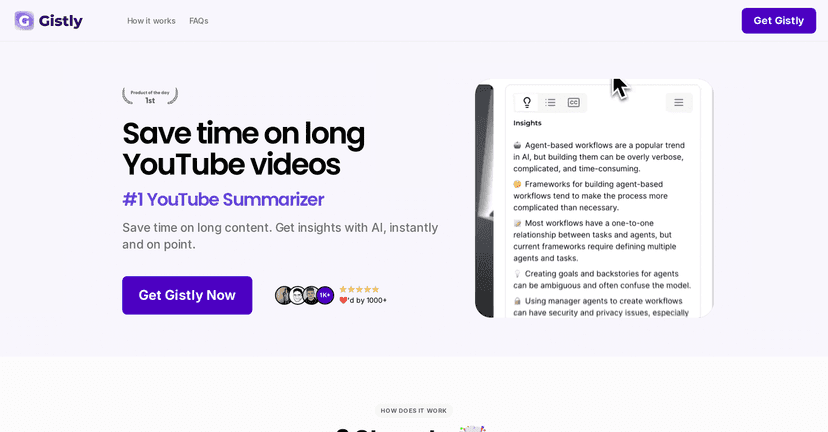
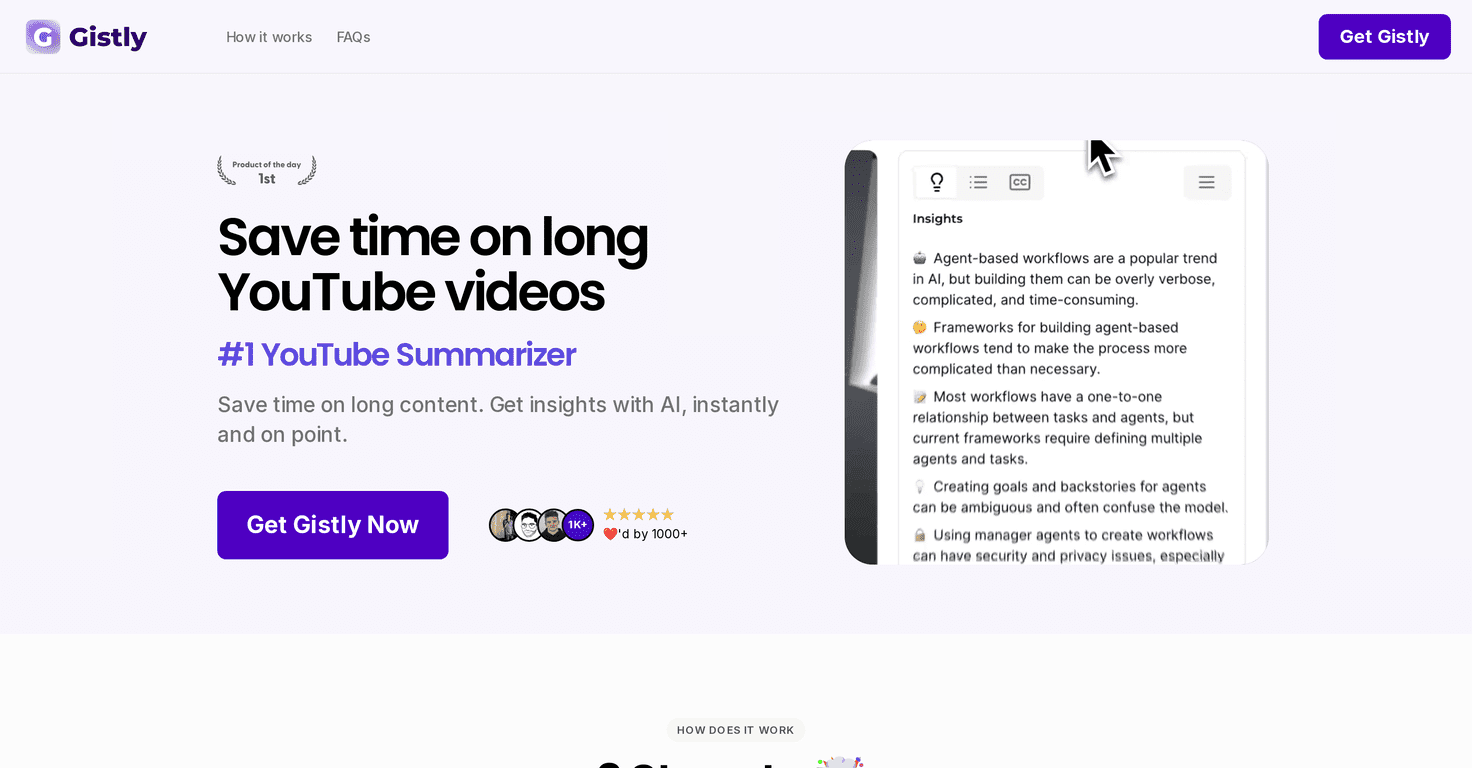
If you’re anything like me, you open YouTube with good intentions… and somehow 40 minutes later you’re still watching a video you didn’t even mean to start. That’s where Gistly caught my attention. It’s a YouTube video summarizer that turns long videos into something you can actually skim and use.
In my testing, the big promise is simple: you paste a YouTube link (or use their workflow), and Gistly gives you a condensed summary plus the main takeaways—so you don’t have to sit through every intro, side story, and “quick disclaimer” that somehow takes 3 minutes.

Gistly Review: What It Does (and What I Actually Noticed)
Gistly uses OpenAI’s GPT technology to pull the key points from YouTube videos and turn them into a cleaner, more readable summary. That matters because most long videos don’t just have “information”—they have pacing, repetition, and filler. And if you’re using YouTube for learning, filler is the enemy.
What stood out to me is how quickly I could decide whether a video was worth my time. Instead of committing to the whole thing, I’d check the summary first. If the gist matched what I needed, I’d go back and watch the relevant parts.
Also, I like that it feels built for real browsing habits. YouTube isn’t designed for note-taking, but Gistly makes it easier to capture the main ideas without doing manual transcription and cleanup.
One more thing: the interface is easy to navigate. I didn’t feel like I needed a tutorial to understand where to look for the summary and takeaways. That might sound minor, but when you’re testing tools like this, usability is everything.
Key Features That Make Gistly Useful
- TLDR Summaries for quick understanding: Great for getting the “what’s this about?” answer fast.
- Key Insights to highlight pivotal points: This is where I found the most value—especially for videos with lots of examples or multiple sections.
- Multi-language Support for global users: If you’re watching content outside your native language, this can be a lifesaver.
- Timestamped Breakdowns for easy navigation: I like being able to jump to the exact moment instead of rewatching the whole video.
- Shareable Summaries for social media: Handy if you want to send a summary to a friend or post a quick recap.
- Additional Tools for content creators: If you make videos or write content, having structured takeaways can help you turn one source into multiple assets.
Quick practical tip from my side: when you’re using summaries for learning, don’t treat them like a replacement for watching. Use them to find the parts you should actually pay attention to. That’s how I got the best results without feeling like I missed context.
Pros and Cons (My Honest Take)
Pros
- Saves time by summarizing lengthy videos so you can skim instead of sit.
- Multi-language support helps reduce the “I can’t follow this” barrier when the video isn’t in your language.
- User-friendly interface makes it straightforward to read summaries and find the key sections.
- Extra creator-friendly tools can be useful if you’re repurposing content or building posts from video ideas.
Cons
- Limited to YouTube videos (at least as presented here). If you watch podcasts or other platforms, this won’t cover that gap.
- Summary quality can vary depending on the video. Some videos have cleaner structure than others, and that affects how accurate and “on-point” the summary feels.
- Context can get flattened in some cases. If a creator relies heavily on nuance, sarcasm, or quick references, the summary might not capture it perfectly.
Honestly, that last point is why I still treat Gistly as a filter, not a full replacement. It’s excellent for scanning, and then you decide what to watch closely.
Pricing Plans: What You Need to Check
Pricing isn’t listed in the content I received, so I can’t give you exact numbers here. What I recommend (and what I’d do myself) is to visit the Gistly website and look for subscription tiers or any one-time options.
If you’re deciding whether it’s worth paying for, compare plans based on how often you summarize videos. For heavy YouTube users, even small time savings can add up fast.
Wrap up
Gistly is a solid option if you regularly watch long YouTube videos and want the important parts without the time sink. The combination of TLDR summaries, key insights, and timestamped breakdowns is exactly what I look for when I’m trying to learn faster or decide quickly what’s worth my attention.
If you want a more efficient way to consume YouTube content (especially for research, studying, or keeping up with creators), it’s definitely worth trying. I’d just go in with the mindset that it’s best for skimming and targeting—not for replacing the full watch every time.