🌸 SPRING SALE — Fresh Start, Fresh Savings
Spring Into SavingsSpring Pricing 🌼
AI Tools

Jinee AI Review (2026): Honest Take After Testing

Stefan
8 min read
#Ai tool

Table of Contents

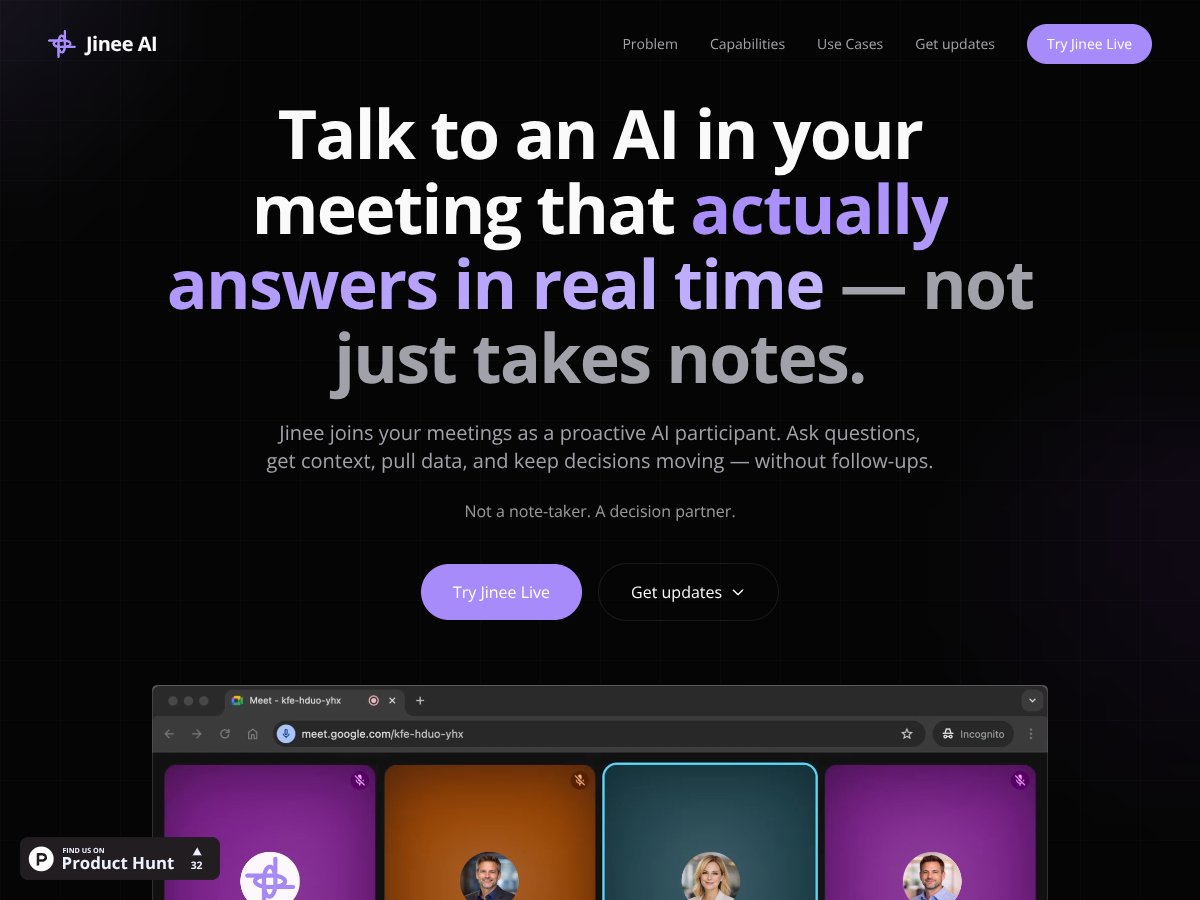
Jinee AI screenshot

What Is Jinee AI?

Honestly, when I first heard about Jinee AI, I thought it was just another AI meeting note-taker or voice assistant trying to sound helpful. But what caught my attention was the claim that it actually joins your meetings as a proactive participant — not just sitting silently recording, but actively answering questions, pulling data, and helping move decisions along in real time. That’s a pretty tall order, especially since most tools I’ve tested just end up as glorified note-collectors.

In plain English, Jinee AI is supposed to be the AI that jumps into your meetings, listens, and then responds to your questions or requests on the fly. The idea is to cut down on the endless back-and-forth, follow-up emails, and the dreaded “let me send you that later” conversations that often derail productive discussions. It’s meant to be a decision partner, not just a passive recorder of what was said.

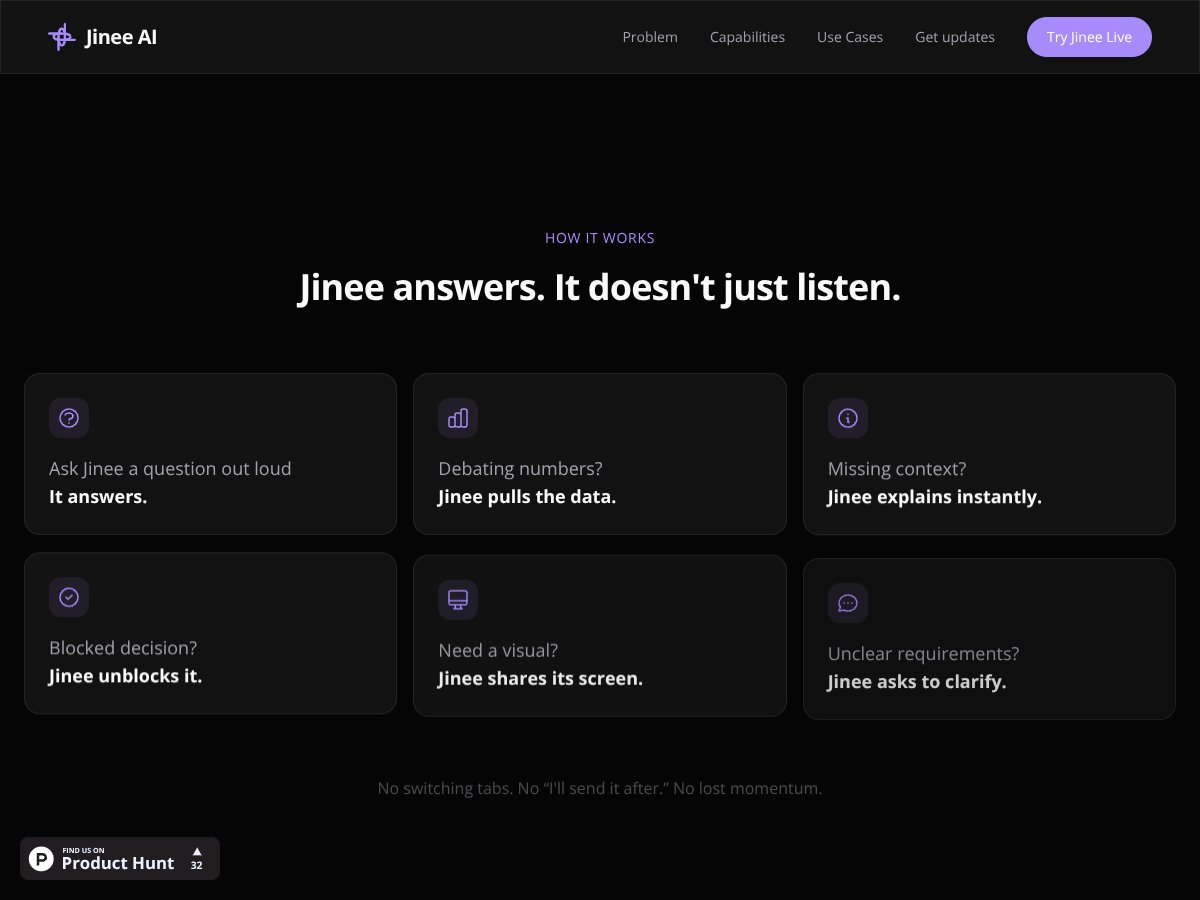
The problem it’s addressing is pretty clear: meetings are often inefficient because people forget to share key data, get stuck debating numbers, or have to switch tabs or ask for follow-ups afterward. Jinee promises to fix this by providing instant answers, pulling data from your existing tools, and helping keep everyone aligned without breaking the flow. That’s a compelling pitch, especially for teams that want to get more done in less time.

As for who’s behind it, the website doesn’t reveal much about the team or the company. There are no prominent founders’ bios or backstory, which is a bit of a red flag for me. It feels like a startup still in the early stages, or perhaps just a product with a small team. That said, I was curious enough to give it a shot anyway.

My initial impression was that it does what it claims — it joins meetings (on Zoom, Teams, Google Meet), and you can ask questions out loud or type them. It responded quickly enough, and I liked that it tried to explain or fetch data without me having to switch apps. But I also went in with some skepticism: I wasn’t expecting a perfect experience, especially since I didn’t see a lot of concrete details about integrations or how well it understands complex questions. Honestly, it’s not as polished as some of the bigger players, but that’s to be expected at this stage.

One thing I want to be clear about upfront: Jinee is NOT a note-taking tool, and it’s not simply a voice recorder. It’s meant to be an active participant. If you’re expecting a meeting transcription service, this isn’t it. Also, it doesn’t seem to have extensive customization options or a dashboard for managing conversations — at least not yet. So, manage your expectations accordingly.

Jinee AI Pricing: Is It Worth It?

Jinee AI interface
Jinee AI in action

Here's the thing about the pricing with Jinee AI: the company keeps things pretty vague, and that's a bit of a red flag. They mention a free tier, but don’t specify what’s included, and their paid plans are only available upon request or through a demo signup, which makes it hard to do a straightforward comparison.

What they don't tell you on the sales page is whether there are usage limits, feature gates, or tiered pricing based on team size or call volume. Without transparent pricing details, it's tough to gauge whether this tool is a bargain or a costly luxury.

Plan Price What You Get My Take
Free Tier Not specified Unknown Fair warning: without details, I can't tell if the free plan offers enough to try out the core features or if it’s just a teaser. Be prepared for possible limitations or a sales pitch for paid plans.
Paid Plans Available upon request Enhanced features, higher usage limits, integrations Since pricing isn't public, I was honestly expecting a tiered structure based on team size or meeting volume, but that’s just speculation. If you're considering this for serious deployment, you'll need to reach out for a quote, which isn't ideal for quick budgeting.

Overall, the lack of transparent pricing might be a dealbreaker for some, especially small teams or solo users who want to know upfront if it fits their budget. For larger organizations, a custom quote could make sense, but for smaller setups, this opacity is a downside.

How Jinee AI Stacks Up Against Alternatives

Otter.ai

  • What it does differently: Otter.ai focuses mainly on transcribing meetings and generating summaries. It’s great for note-taking but doesn’t actively participate in meetings like Jinee AI, which joins and interacts in real time.
  • Price comparison: Otter.ai offers a free tier with 600 minutes/month, paid plans starting at around $8.33/month, which is cheaper than Jinee AI’s premium. However, Jinee AI’s features justify the higher price if you need active assistance.
  • Choose this if... You just need accurate transcription and basic notes without real-time interaction. Otter is solid for recording meetings but less so for decision acceleration.
  • Stick with Jinee AI if... You want a true AI assistant that joins meetings, answers questions, and fetches data live—Otter just can’t do that.

Fireflies.ai

  • What it does differently: Fireflies.ai transcribes meetings and integrates with many platforms, but it mainly acts as a recording assistant with AI features focused on transcription and notes, rather than active meeting participation.
  • Price comparison: Free tier offers 3 hours of transcription/month; paid plans start around $10/month. It’s cheaper but less interactive than Jinee AI.
  • Choose this if... You need reliable transcription and simple note collaboration without the need for real-time AI responses.
  • Stick with Jinee AI if... You want an AI that actively joins meetings to answer questions and speed up decision-making, not just record and transcribe.

Gong

  • What it does differently: Gong specializes in revenue intelligence—analyzing sales calls and providing insights to sales teams. It’s focused on analytics rather than real-time meeting assistance.
  • Price comparison: Gong’s pricing is enterprise-level, often thousands per month, making it much more expensive than Jinee AI. It’s targeted at large sales teams, not general meetings.
  • Choose this if... Your focus is on sales call analytics or revenue insights rather than general meeting facilitation.
  • Stick with Jinee AI if... You want a flexible, real-time meeting assistant across various contexts, not just sales calls.

Microsoft Teams / Zoom AI integrations

  • What they do differently: These are native integrations that add basic transcription and some AI-driven features within their platforms, but they don’t join meetings as active participants or answer questions live.
  • Price comparison: Often included in existing subscriptions, so no extra cost, but limited in scope. Jinee AI offers more active, interactive capabilities at a higher cost.
  • Choose this if... You only need simple AI features built into your existing platform without the need for active meeting participation.
  • Stick with Jinee AI if... You want a meeting AI that can join, interact, and help make decisions in real time, not just transcribe or provide static insights.

Bottom Line: Should You Try Jinee AI?

Honestly, I’d give Jinee AI a solid 7/10. It’s a powerful tool if you need an AI that actively participates in meetings, answers questions on the fly, and helps speed up decision-making. The biggest plus is that it genuinely adds value in real time, rather than just recording or transcribing afterward. But, it’s not perfect—if you’re just looking for basic transcription or note-taking, there are cheaper options that might do the trick.

The person who should definitely try this: If you’re in a fast-paced environment where quick decisions matter, and you want an AI that can join your meetings and help out instantly, give Jinee AI a shot. It can genuinely save you time and reduce those awkward, “Wait, what was just said?” moments.

The person who should skip this: If your meetings are infrequent or you’re happy with manual notes and recordings, Jinee AI might be overkill. It’s also not the best choice if you’re on a tight budget and only need basic transcription.

Is the free tier worth trying? Absolutely—if only to see how it integrates into your meetings. The paid plans are worth considering if you find yourself needing active AI assistance regularly. Personally, I think it’s worth upgrading if you want the full experience, especially for busy teams or managers.

Would I recommend it? Yes, if your workflow benefits from active AI participation. If your meetings are straightforward and don’t require such advanced features, you might find simpler tools more cost-effective.

In short: If real-time meeting help can make your work smoother, give Jinee AI a shot. If you’re just after basic notes, stick with simpler transcription services or native platform features.

As featured on

Automateed

Add this badge to your site

Stefan

Stefan

Stefan is the founder of Automateed. A content creator at heart, swimming through SAAS waters, and trying to make new AI apps available to fellow entrepreneurs.

Related Posts

FaceSymmetryTest Review – Honest Look at Free AI Tool

FaceSymmetryTest Review – Honest Look at Free AI Tool

FaceSymmetryTest is a fun online tool

Stefan
Sweep Review – An AI Assistant for JetBrains IDEs

Sweep Review – An AI Assistant for JetBrains IDEs

Sweep enhances productivity in JetBrains IDEs

Stefan
AI Song Maker Review – Simple & Creative Music Generation

AI Song Maker Review – Simple & Creative Music Generation

easy way to create music with AI

Stefan

Create Your AI Book in 10 Minutes