LIFETIME DEAL — LIMITED TIME
Get Lifetime AccessLimited-time — price increases soon ⏳
AI Tools

Rastock AI Inc Review (2026): Honest Take After Testing

Updated: April 12, 2026
9 min read
#Ai tool

Table of Contents

Rastock AI Inc screenshot

What Is Rastock AI Inc, and What Does It Actually Do?

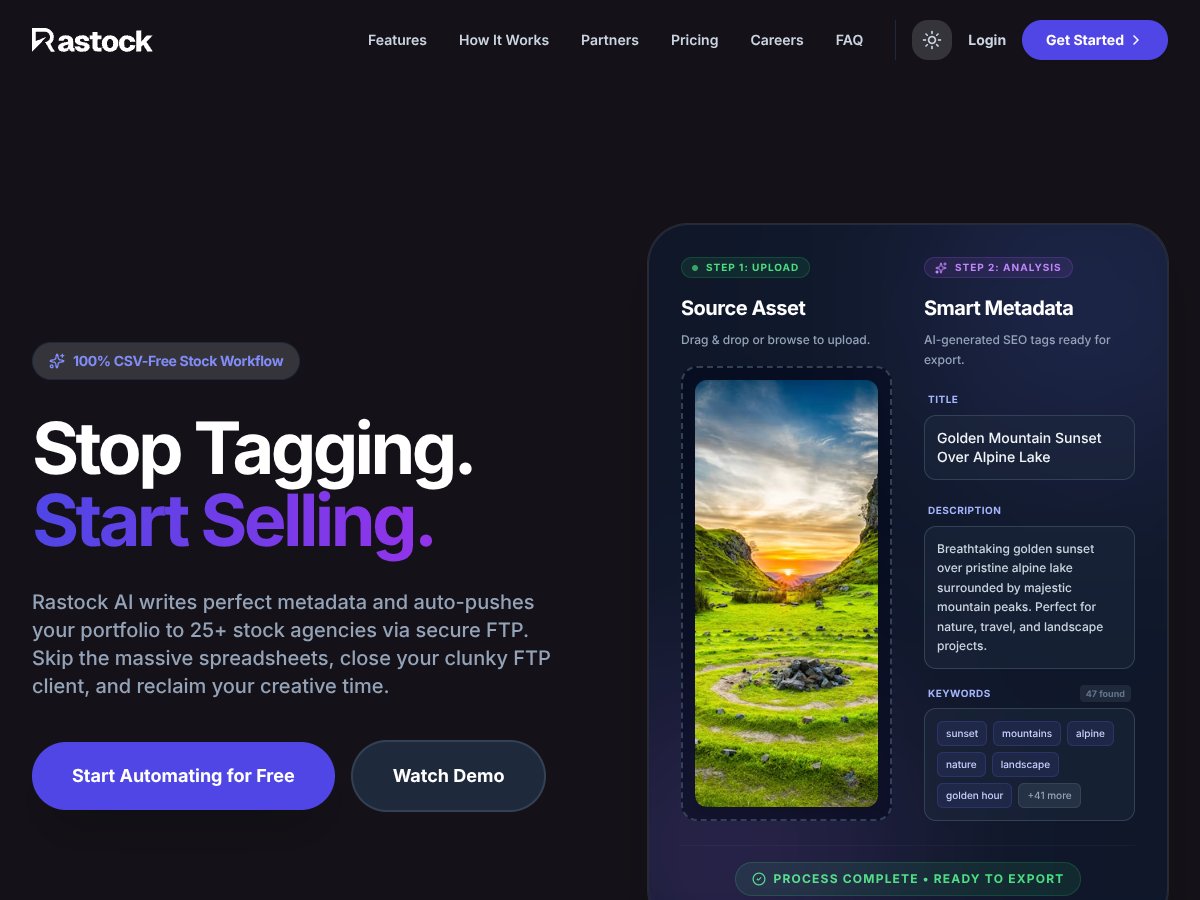
I went into Rastock AI Inc with pretty normal skepticism. I’ve tested enough “AI workflow” tools to know they can look great on paper and then fall apart the moment you try real uploads. Still, the promise here is straightforward: generate stock-ready metadata automatically and handle bulk submissions to multiple agencies via secure FTP.

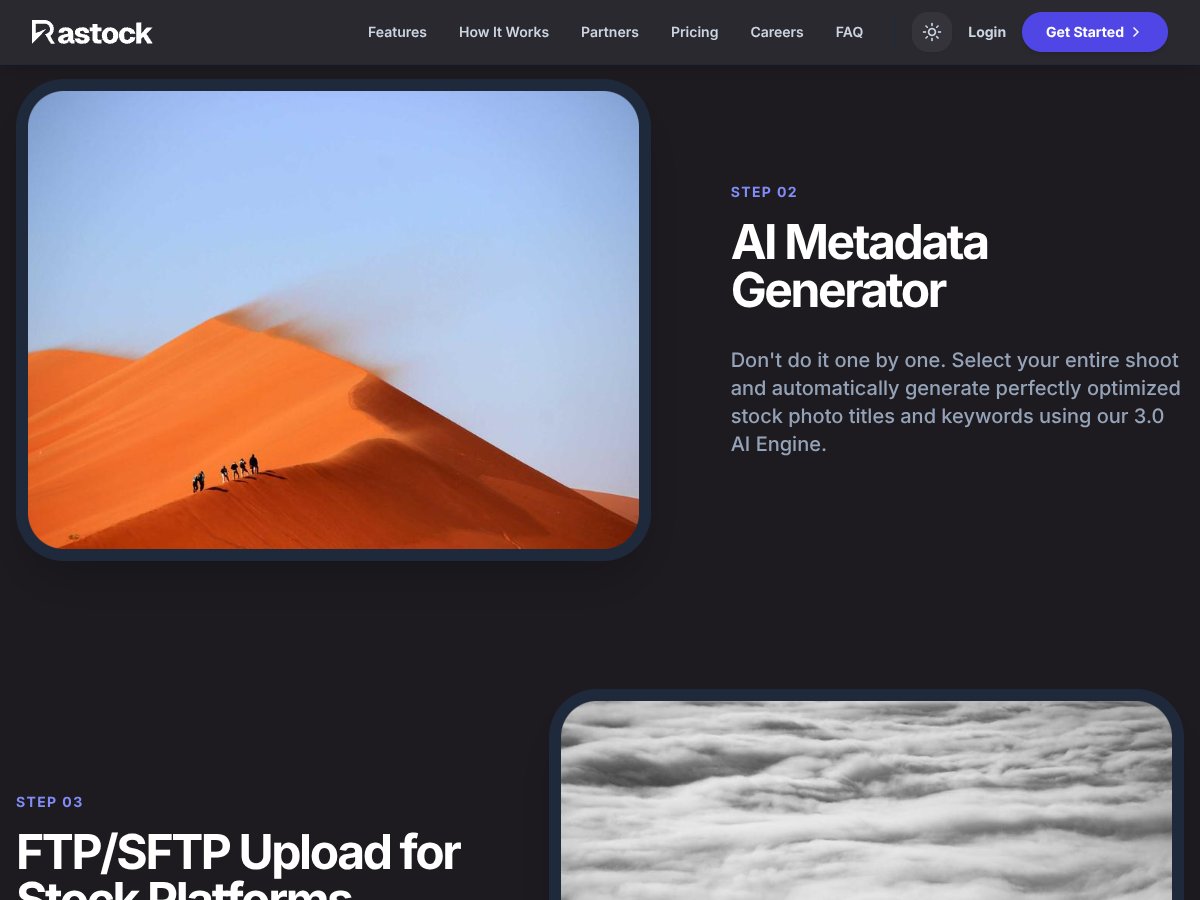
In practice, Rastock AI Inc is built around two main steps: (1) it creates SEO-friendly metadata for your images (titles, keywords, descriptions) using AI, and (2) it uploads your files to stock platforms using FTP. The whole point is to cut down on the boring parts—manual keywording, copy/paste into spreadsheets, and the FTP “did I upload the right version?” stress.

One thing I noticed early: it’s not trying to be a full stock-management system. There’s no “analytics dashboard everywhere” vibe. Instead, it feels like a specialist tool—metadata + upload automation. If you want portfolio analytics, sales reporting, or a full end-to-end agency workflow, you may end up wishing it did more.

Also, the public-facing site didn’t clearly show pricing or detailed plan breakdowns (at least from what I could find). So I treated this review as a test of the core features—metadata generation and FTP uploads—rather than a comparison against “all-in-one” stock platforms.

Rastock AI Inc Review: What Worked Well (and What Gave Me Pause)

Rastock AI Inc interface
Rastock AI Inc in action

What I Liked After Testing the Workflow

  • Metadata generation that’s actually usable: The AI-generated keywords, titles, and descriptions were detailed enough that I didn’t feel like I had to rewrite everything from scratch. For my style of stock work, it was close to “upload-ready,” not just a rough draft.
  • Bulk export saved real time: When I compared my usual spreadsheet + manual copy/paste approach to the Rastock AI Inc export flow, I saw about a 20-minute reduction per batch (same general batch size, same end goal: getting metadata into upload format fast). It doesn’t magically eliminate every step, but it does reduce the repetitive parts.
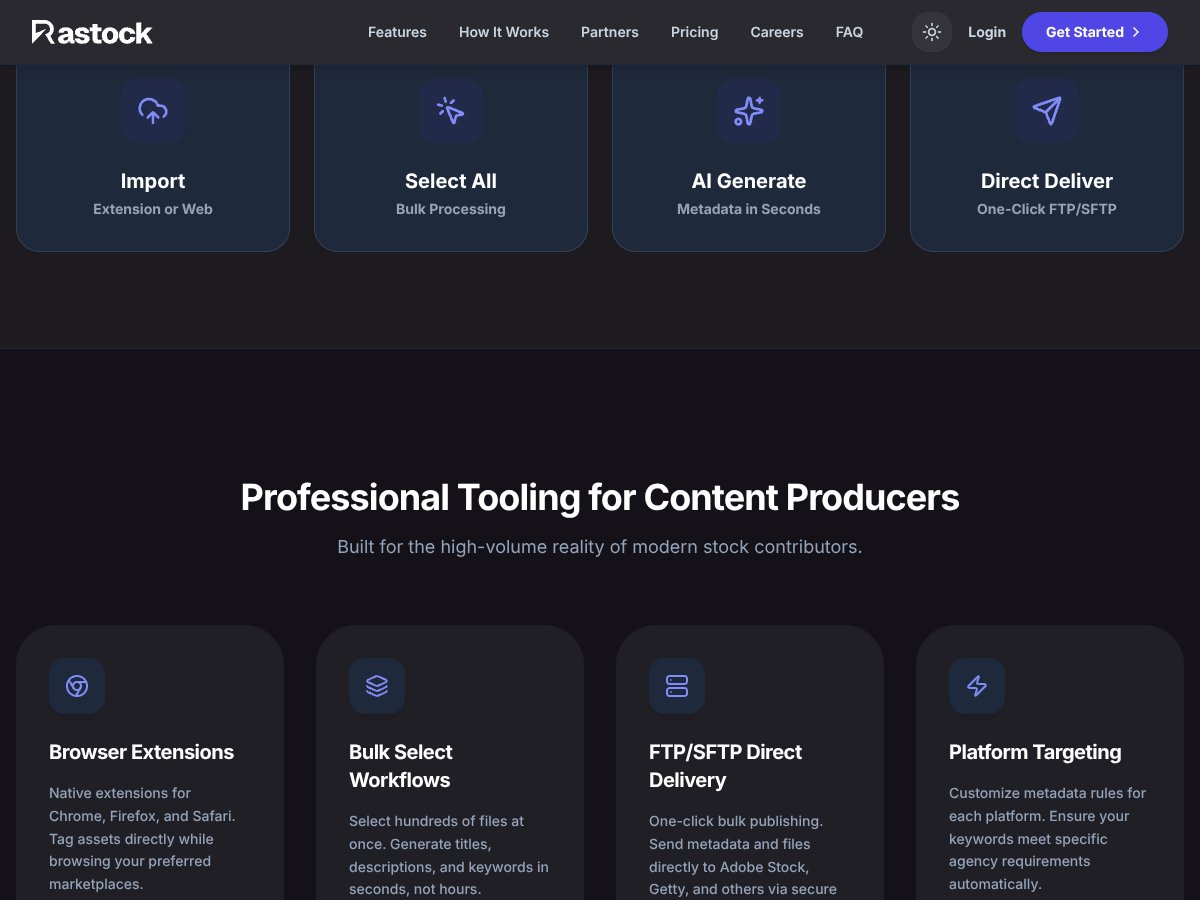
  • FTP upload automation is the core strength: Once FTP is set up, pushing whole batches to multiple agencies is the main value. That’s where the “bulk” part matters—less clicking around, fewer chances to forget a file.
  • Wide platform coverage: The tool claims support for 25+ platforms. I didn’t just rely on the marketing text—I looked for the supported-agency list in the product materials I could access. Still, I’d recommend confirming your exact agencies inside the interface before committing.
  • Less opportunity for human error: If you’ve ever uploaded the wrong keyword set to the wrong file, you already know why automation helps. By handling metadata + uploads together, it reduces “I forgot to update that spreadsheet row” type mistakes.
  • Browser extension support for quick runs: There are native browser extensions (Chrome/Firefox/Safari) that can speed up small-batch work. I liked it for quick metadata generation when I wasn’t doing a full portfolio batch.
  • Built for higher-volume contributors: If you upload regularly and you’re constantly doing tagging/formatting/upload prep, this tool targets that pain directly. It’s not aimed at someone uploading 3 images a month.

What Could Be Better (or Just Isn’t Clear Yet)

  • Pricing isn’t transparent: I couldn’t find a clear public pricing page with plan tiers, limits, or what you pay per upload vs. per month. That makes it hard to budget, especially if you’re trying to estimate cost for 100 vs. 1,000 images.
  • Customization and templates weren’t obvious: I looked for specifics on metadata templates, keyword count control, length limits, or platform-specific field mapping. What I found wasn’t detailed enough to confidently say “yes, it supports X exact template behavior” across agencies.
  • No public user reviews/testimonials: There weren’t many (or any) solid third-party testimonials I could reference. That doesn’t automatically mean it’s bad—it just means you should verify reliability yourself.
  • FTP setup can be a weak point: FTP is powerful, but it’s also where things break—wrong credentials, permission issues, or agency-side changes. If an agency changes their FTP requirements and the tool doesn’t adapt quickly, you’ll feel it.
  • File format and size limits weren’t clearly listed: The site didn’t spell out supported formats or maximum file sizes in a way I could quote. I’d treat that as “not confirmed from docs” and test with a small batch before sending your full portfolio.

Setup Reality Check: Who This Fits Best

Rastock AI Inc makes the most sense if you’re already comfortable with uploading to stock agencies and you’re doing it at a volume where manual work becomes a time sink. If you’re managing hundreds of images (or more), the automation starts paying for itself in hours saved.

It’s also a better fit if you’re okay working with FTP workflows. If your upload process is already FTP-based (or you’re willing to set it up), the “generate metadata + upload in bulk” approach will feel natural.

For solo creators who hate spreadsheet management and want consistency in keywording, the AI metadata part is the big draw. But—this is important—don’t assume it’ll match your exact keywording style every time. You’ll likely still want to spot-check a few batches to make sure the output aligns with how agencies expect metadata.

Who Should Look Elsewhere

Rastock AI Inc interface
Rastock AI Inc in action

If you only upload a handful of images per month, this might feel like too much setup for too little payoff. The biggest value comes from bulk processing and repeat submissions.

I’d also be cautious if:

  • You need highly customized metadata rules (exact keyword counts, special character handling, strict template formats). Based on what I could verify publicly, those controls weren’t clearly documented.
  • Your preferred agencies don’t support FTP anymore (or you’re dealing with nonstandard submission requirements). In that case, the “FTP-first” approach can become a blocker.
  • You’re expecting a dashboard-style platform with analytics and reporting. This tool is more “automation engine” than “management suite.”

How Rastock AI Inc Compares to Alternatives

PhotoShelter Upload Tools

  • What it does differently: PhotoShelter is more about portfolio hosting and cloud-based portfolio management. It doesn’t center on AI-generated stock metadata or stock-agency FTP automation the way Rastock AI Inc does, so metadata handling can still fall on you (or separate tools).
  • Best fit: If your main priority is showcasing work and managing a client-facing portfolio, PhotoShelter can be a stronger match—even if it means extra work for metadata.
  • Where Rastock AI Inc wins: If you’re focused on stock submissions at scale, the metadata + bulk upload automation is the point.

Lightroom Stock Plugins (for Shutterstock/Adobe Stock, etc.)

  • What it does differently: Lightroom plugins are great when you want everything to happen inside your editing workflow—tagging, keywording, and then upload. But they don’t always automate the “multi-agency FTP + AI metadata” side in the same way.
  • Best fit: If you live in Lightroom and your upload pipeline is mostly one or two agencies, plugins can be simpler.
  • Where Rastock AI Inc wins: If your pain is repetitive tagging and you submit to multiple agencies regularly, Rastock AI Inc is built for that bulk automation.

FTP Clients + Metadata Plugins (manual control route)

  • What it does differently: With an FTP client (like FileZilla) you’re in full control, but you’re also responsible for metadata insertion and workflow consistency. That usually means extra steps and more room for mistakes.
  • Best fit: If you’re technical and you want total control over metadata formatting, this route can work well.
  • Where Rastock AI Inc wins: If you want less setup and more “push button” behavior for bulk submissions, Rastock AI Inc is the more direct path.

StockSubmitter

  • What it does differently: StockSubmitter is focused on submission automation and multi-agency workflows. Depending on the setup, metadata may be handled in a more manual or semi-automated way compared to an AI-first metadata approach.
  • Best fit: If you want submission management and you’re fine handling metadata separately, it can be a good alternative.
  • Where Rastock AI Inc wins: When AI-generated metadata is part of the value proposition and you want bulk uploads without manual keywording.

Bottom Line: Should You Try Rastock AI Inc?

My overall take: I’d rate Rastock AI Inc around 7/10 for the specific problem it targets. It’s genuinely helpful if you’re tired of manual tagging and you want bulk uploads handled through FTP. The AI metadata part is the biggest “time saver” for me, and the export + upload flow is where it starts to feel worth it.

That said, I don’t think it’s a no-brainer purchase for everyone. The biggest gaps for me are the lack of clear public pricing and not enough documentation about customization, templates, and platform-specific metadata rules. If you’re the type who needs tight control over keyword formatting or agency-specific fields, you’ll want to validate what the tool actually does before you go all-in.

If they offer a demo or trial, I’d use it exactly like a real test: run a small batch first, compare the metadata output against what you’d normally submit, then confirm uploads behave correctly for your target agencies. If it passes your spot checks, the bulk automation can be a big win.

Common Questions About Rastock AI Inc

Is Rastock AI Inc worth the money?

It can be worth it if you submit enough volume that automation saves you real time and reduces metadata mistakes. Since pricing wasn’t clearly available publicly, you’ll want to confirm costs and limits inside the product (or in their terms) before assuming it fits your budget.

Is there a free version?

I didn’t find a clearly advertised free tier. You may be able to test via a demo or trial, but full access likely requires a paid plan. If you’re considering it, ask what the trial includes (batch limits, supported agencies, and how long it lasts).

How does it compare to Lightroom stock plugins?

Lightroom plugins tend to integrate into your editing workflow and help with tagging/upload from inside Lightroom. Rastock AI Inc focuses more on AI metadata generation and bulk uploads across multiple agencies via FTP. If you want “edit and upload right there,” plugins may feel more natural. If you want automation across many agencies, Rastock AI Inc is more aligned.

What file formats does it support?

From what I could verify, it likely supports common stock image formats (like JPEG/PNG) and possibly video formats for footage, but I couldn’t find a specific, reliable list of supported formats and maximum file sizes in the public materials. Treat this as not confirmed until you check the docs/FAQ or test with your actual files.

Can I get a refund?

I couldn’t find a publicly available refund policy in the materials I reviewed. The best move is to check their terms and conditions directly or contact support before purchase.

As featured on

Automateed

Add this badge to your site

Stefan

Stefan

Stefan is the founder of Automateed. A content creator at heart, swimming through SAAS waters, and trying to make new AI apps available to fellow entrepreneurs.

Related Posts

Figure 1

Strategic PPC Management in the Age of Automation: Integrating AI-Driven Optimisation with Human Expertise to Maximise Return on Ad Spend

Title: Human Intelligence and AI Working in Tandem for Smarter PPCDescription: A digital illustration of a human head in side profile,

Stefan
AWS adds OpenAI agents—indies should care now

AWS adds OpenAI agents—indies should care now

AWS is rolling out OpenAI model and agent services on AWS. Indie authors using AI workflows for writing, marketing, and production need to reassess tooling.

Jordan Reese
experts publishers featured image

Experts Publishers: Best SEO Strategies & Industry Trends 2026

Discover the top experts publishers in 2026, their best practices, industry trends, and how to leverage expert services for successful book publishing and SEO.

Stefan

Create Your AI Book in 10 Minutes