🐣 EASTER SALE — LIFETIME DEALS ARE LIVE • Pay Once, Create Forever
See Lifetime PlansLimited Time ⏰
AI Tools

rivva Review (2026): Honest Take After Testing

Stefan
8 min read
#Ai tool

Table of Contents

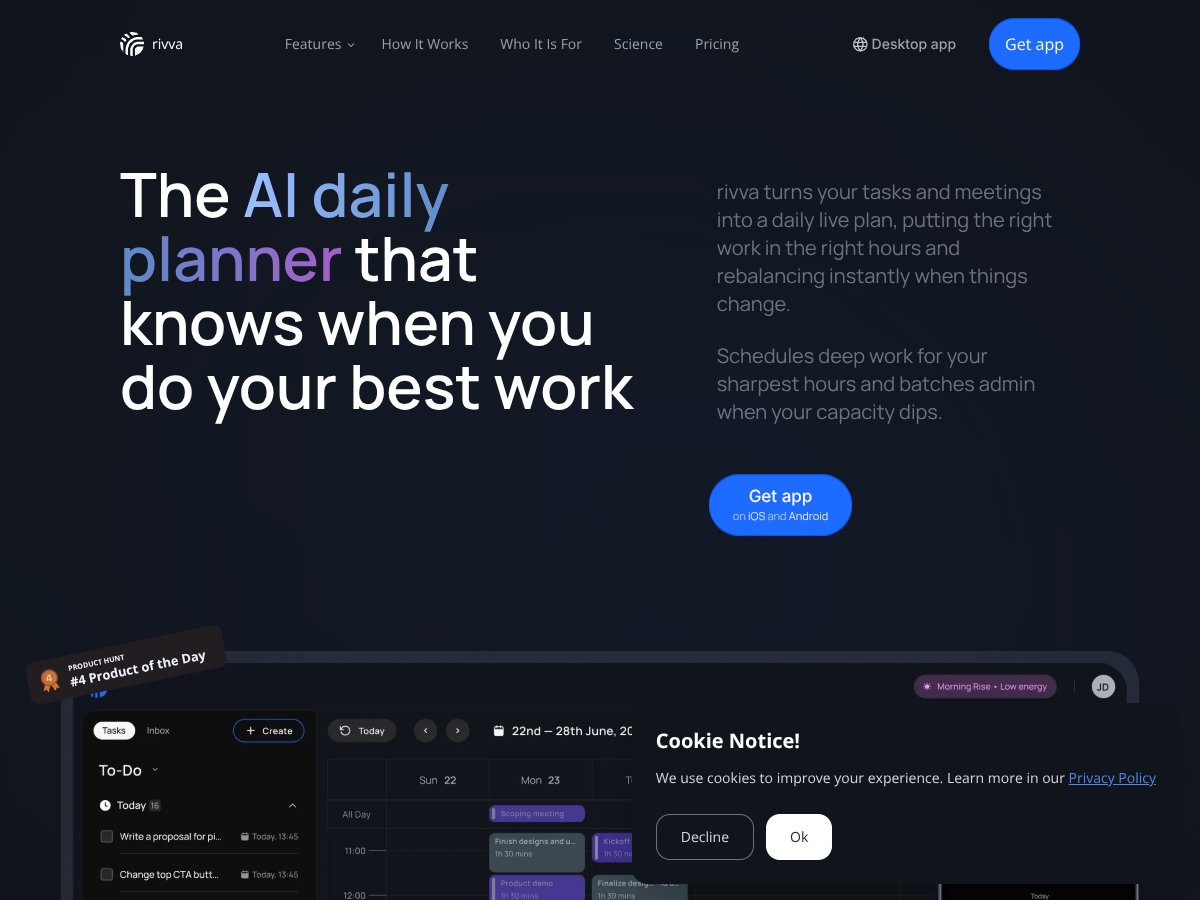
rivva screenshot

What Is rivva?

Honestly, I was pretty skeptical about rivva at first. The idea of an AI-powered daily planner that not only schedules your tasks but also adjusts on the fly sounded nice in theory, but I wasn’t sure how well it would actually work in real life. It’s one of those tools that promises to help you work more sustainably by understanding your energy levels and workload — but does it deliver?

So, in plain English, rivva is an app that connects to your calendar and email, then automatically creates a daily plan for you. It sorts your tasks, blocks out deep work sessions during your most productive hours, and re-adjusts if something changes during the day. The goal seems to be to reduce the mental load of planning and make sure you're doing your best work when you're at your best.

It’s developed by a team that seems focused on productivity and AI, but I couldn’t find much info about the creators or the company behind it — which is a bit of a red flag if you’re looking for long-term support or credibility.

My initial impression? It’s as advertised — or at least, it aims to be. The interface isn’t flashy, but it’s straightforward enough. That said, don’t expect a lot of bells and whistles or integrations with other tools like Notion or Slack. It feels more like a focused productivity assistant than a full-blown workspace.

One thing I want to be clear about: rivva isn’t a task management powerhouse that replaces Todoist or Asana. It’s more about auto-scheduling and smart planning. If you’re looking for a comprehensive task manager, you might still need to use separate apps. Also, there’s no mention of a free tier or trial, so it’s hard to say upfront what the costs are or if it’s worth it without trying it out.

rivva Pricing: Is It Worth It?

rivva interface
rivva in action

Here's the thing about the pricing... the website doesn’t make it crystal clear what the free tier includes or how much the paid plans cost. What they don't tell you on the sales page is whether the premium features—like energy-aware scheduling or email extraction—are locked behind a paywall or included in a free trial. Honestly, I was expecting some transparency here, but it feels a bit of a mystery until you sign up and dig around.

So, I checked the plans, and it looks like they have a tiered approach, but without concrete numbers publicly listed, it's hard to say if it’s fair value. Usually, with productivity tools like this, the free version is quite limited or just a teaser, and the real magic comes with the paid plans. Fair warning: if you're expecting a low-cost solution, rivva might not be the cheapest option out there.

What I can tell you is that if you’re the kind of person who would benefit from deep integration with your calendar and energy-based scheduling, the premium might be worth it—assuming the price isn’t prohibitive. But be prepared for additional costs if you want features like wearable integrations or custom automations, which aren’t clearly laid out now.

In summary, without specific plan details, I’d say proceed cautiously. If you’re considering this for professional use, compare it against more transparent tools like Todoist, Notion, or even dedicated scheduling apps—just to see if rivva’s unique AI scheduling justifies the investment.

How rivva Stacks Up Against Alternatives

Todoist

  • Todoist is a classic task manager with a focus on simple, straightforward task lists and project organization. It doesn’t auto-plan your day or consider your energy levels; instead, it relies on you to set priorities and deadlines manually.
  • Price-wise, Todoist offers a free tier with limited features, and the premium version costs around $4/month (billed annually). It’s cheaper than rivva if you’re only after basic task management.
  • Choose this if… you want a simple, reliable to-do list that works well without the frills.
  • Stick with rivva if… you prefer an AI-powered assistant that helps you plan your day based on context and energy, rather than just managing tasks.

Trello

  • Trello is great for visual project management with boards and cards. It’s more about collaboration and tracking progress rather than daily auto-scheduling. rivva’s strength is in personalized daily planning, which Trello doesn’t do.
  • Pricing ranges from free for basic boards to $10/user/month for premium features. It’s comparable or slightly cheaper than rivva, depending on team size.
  • Choose this if… you need a visual workflow tool for team projects and prefer manual planning.
  • Stick with rivva if… you want your daily schedule auto-generated and tailored to your energy levels, not just a Kanban view.

Clockify

  • Clockify is a time-tracking tool that’s more about monitoring how you spend your time rather than planning your day. rivva, on the other hand, proactively suggests what to focus on based on your context.
  • It offers a free plan with unlimited tracking, and paid plans start at around $10/month. It’s a good option if you’re focused on productivity analytics.
  • Choose this if… you want detailed time reports and analytics to understand your work habits.
  • Stick with rivva if… you prefer AI-driven daily planning over just tracking time after the fact.

Notion

  • Notion is an all-in-one workspace for notes, databases, and task management. It’s highly customizable but requires manual setup and doesn’t offer automatic daily planning based on energy or calendar data.
  • Pricing starts at free for personal use, with paid plans at around $8/month. It’s flexible but more hands-on compared to rivva’s automation.
  • Choose this if… you want a flexible workspace and are okay with setting up your own workflows.
  • Stick with rivva if… you want an out-of-the-box daily planner that adapts to your workload and energy, rather than building your system from scratch.

Bottom Line: Should You Try rivva?

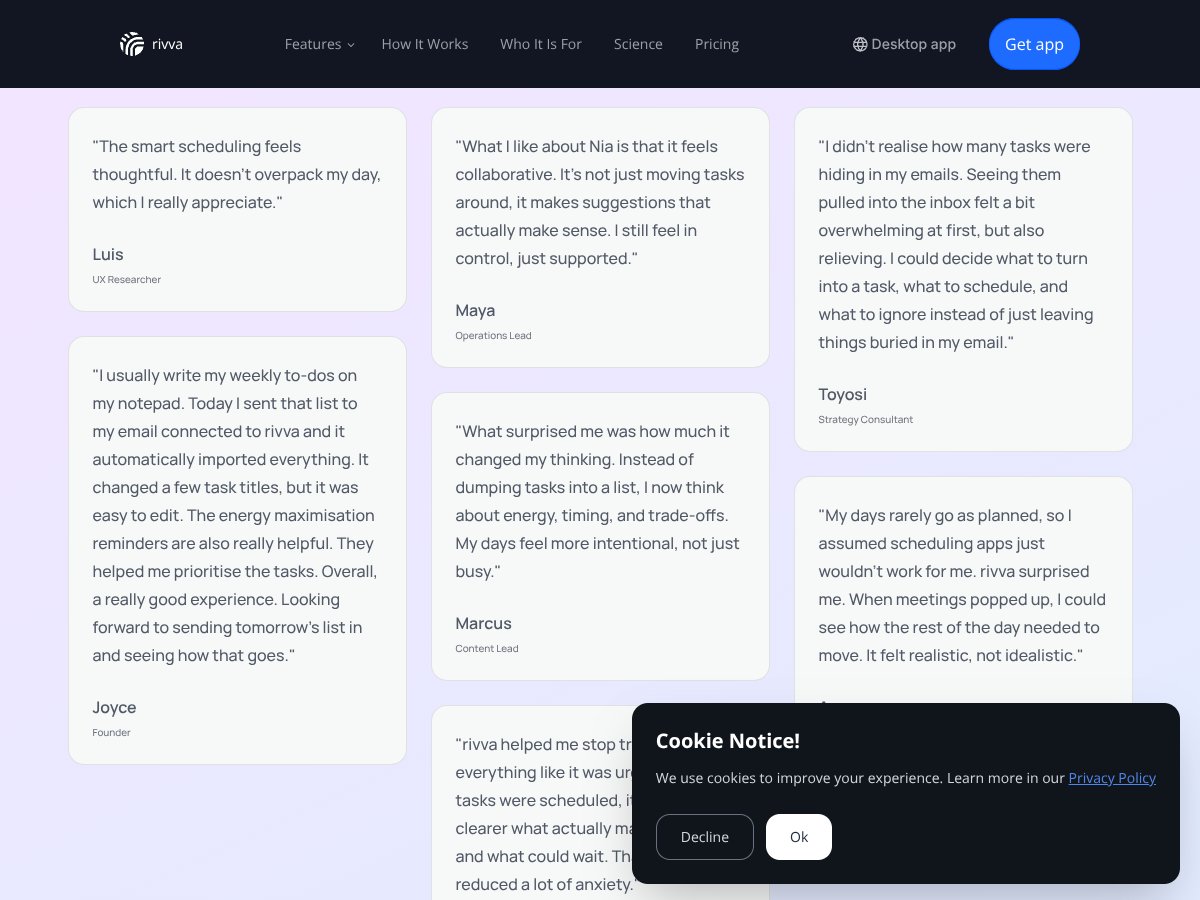
rivva interface
rivva in action

Honestly, I’d give rivva a solid 7/10. It’s a clever tool that shines if you’re someone juggling multiple projects and need a bit of help optimizing your day around your energy. It’s not perfect—sometimes the auto-planning feels a little too optimistic about what you can accomplish—but overall, it’s a genuine time-saver.

The one person who should definitely give rivva a shot is anyone who struggles with daily planning or feels overwhelmed by their to-do list. If you tend to wing it or rely heavily on manual scheduling, rivva might just be the nudge you need.

On the flip side, if you prefer total control and want to customize every detail yourself, rivva might feel limiting. It’s also not ideal if your work schedule is highly unpredictable or your priorities change several times a day.

The free tier is worth trying if you’re curious about automation, but the paid plans are where rivva really shows its value—especially if you want the AI to do more of the heavy lifting. Personally, I’d recommend upgrading if you’re serious about making your day more sustainable and less stressful.

Would I recommend it? Yes, especially if you’re looking for a gentle boost to your productivity routine. If you’re in a phase where daily planning feels like a chore, give rivva a shot. If you’re someone who loves manual control and customization, your money might be better spent on a task manager like Todoist or Notion.

All in all, it’s a tool worth trying out, but don’t expect it to solve all your productivity problems overnight. Use it as a helpful assistant, not a magic fix.

Common Questions About rivva

  • Is rivva worth the money? - If you value automated daily planning that adapts to your energy, yes. However, if you prefer manual control or a simple task list, it may not be worth the extra cost.
  • Is there a free version? - Yes, rivva offers a free tier with basic auto-planning features, but it’s limited in daily plans and integrations. Upgrading unlocks more customization and smarter suggestions.
  • How does it compare to [competitor]? - rivva is more focused on AI-driven scheduling, while competitors like Todoist or Notion are more manual and customizable. Choose based on whether automation or flexibility matters more to you.
  • Can I get a refund? - Refund policies depend on the platform you purchase through. Usually, if you’re not satisfied within a certain period, you can request a refund—check rivva’s specific policy for details.
  • Does it work with my calendar? - Yes, rivva syncs with popular calendars like Google Calendar to help incorporate your commitments into daily planning.
  • Is it suitable for team use? - rivva is mainly designed for individual productivity and may not be ideal for team collaboration or shared task management.
  • What devices does it support? - It works via web and has mobile apps, making it easy to access your schedule from anywhere.
  • How secure is my data? - rivva uses standard encryption protocols to protect your information, but always review their privacy policy if you’re concerned about sensitive data.

As featured on

Automateed

Add this badge to your site

Stefan

Stefan

Stefan is the founder of Automateed. A content creator at heart, swimming through SAAS waters, and trying to make new AI apps available to fellow entrepreneurs.

Related Posts

FaceSymmetryTest Review – Honest Look at Free AI Tool

FaceSymmetryTest Review – Honest Look at Free AI Tool

FaceSymmetryTest is a fun online tool

Stefan
Sweep Review – An AI Assistant for JetBrains IDEs

Sweep Review – An AI Assistant for JetBrains IDEs

Sweep enhances productivity in JetBrains IDEs

Stefan
AI Song Maker Review – Simple & Creative Music Generation

AI Song Maker Review – Simple & Creative Music Generation

easy way to create music with AI

Stefan

Create Your AI Book in 10 Minutes